NVC rejected documents can delay an immigrant visa application even after U.S. Citizenship and Immigration Services (USCIS) has approved the underlying petition. During consular processing, the National Visa Center (NVC) reviews civil documents, financial evidence, and other required information submitted through the Consular Electronic Application Center (CEAC).
If the NVC rejects a document, applicants must identify the problem and provide the required correction before their case can progress.
Fortunately, a document rejection does not automatically mean the immigrant visa application has been denied. This guide explains common reasons for NVC document rejections, how to correct CEAC errors, and what happens after resubmission.
What Does NVC Rejected Documents Mean?
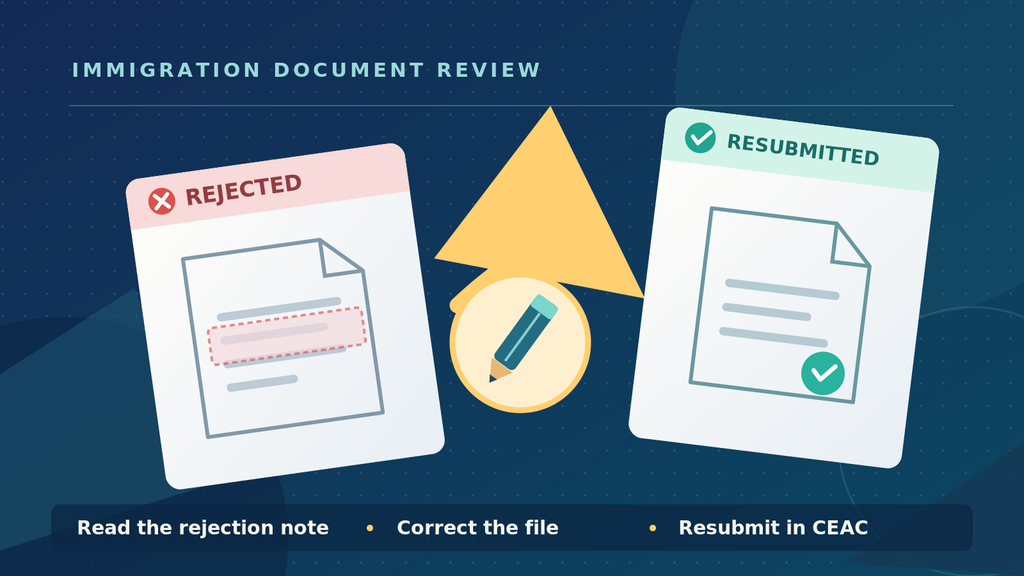
When the NVC rejects a document, it means the submitted item did not meet the requirements for document review.
The problem may involve the document itself, its format, missing information, or an incorrect upload.
According to the Department of State’s CEAC FAQs, applicants can review the status of each document in their CEAC account.
The most relevant statuses include:
- Missing: A required document has not been uploaded.
- Uploaded: The document is saved in CEAC but has not been submitted for review.
- Submitted: The document has been sent to the NVC and is awaiting review.
- Rejected: The NVC reviewed the document and identified an issue requiring correction.
- Accepted: The NVC reviewed the document and determined that no changes are currently necessary.
The CEAC summary page may also display “Invalid Doc” when required documents contain errors or omissions.
Importantly, rejection of one document does not mean the underlying immigrant petition has been revoked.
Common Reasons for NVC Rejected Documents
Several common problems can prevent documents from passing NVC review.
Incorrect Civil Documents
The Department of State requires particular civil documents from recognized issuing authorities.
For example, an applicant may submit a birth certificate that looks official but does not match the document type required for immigrant visa processing.
Similarly, a police certificate may come from an authority that the Department of State does not recognize for that country.
Applicants should consult the official Visa Reciprocity and Civil Documents guide.
It identifies acceptable documents, issuing authorities, and country-specific requirements.
Missing or Incorrect Translations
Translation requirements can also cause problems.
The Department of State generally requires certified translations when civil documents are not written in English or the official language of the country where the applicant is applying, subject to applicable instructions.
A certified translation must include a statement confirming the translation’s accuracy and the translator’s competence.
Where a translation is required, applicants should upload it together with the original-language document.
Poor Image Quality
Even the correct document may be rejected if the NVC cannot read it.
Common problems include blurry scans, missing pages, cropped information, and incorrectly oriented images.
A document containing stamps or writing on the reverse side may also require both sides to be scanned.
Applicants should follow the Department of State’s scanning and uploading instructions.
Missing Financial Evidence
In cases requiring an Affidavit of Support, the financial sponsor must submit the applicable form and supporting evidence.
Problems may arise when the sponsor provides an incomplete Form I-864, omits financial documentation, or submits insufficient evidence of income or assets.
The USCIS Form I-864 page provides the official form and instructions.
However, the NVC also has specific document-submission requirements for financial sponsors.
Consequently, applicants should review the NVC’s response carefully before deciding which documents to replace or supplement.
How to Fix NVC Rejected Documents in CEAC
Once the NVC identifies a problem, the applicant should follow the correction instructions in the CEAC account.
Step 1: Read the NVC Rejection Message
Log into CEAC using the NVC case number and invoice ID.
Open the relevant Civil Documents or Affidavit of Support section.
Locate the rejected document and examine the “Response Note” column. The NVC normally explains why it rejected the document.
Applicants should also check the CEAC Messages section for additional instructions.
Do not immediately upload another copy of the same file without understanding the reason for rejection.
Step 2: Identify the Correct Document
Compare the NVC’s explanation with the applicable government requirements.
If the problem concerns a civil document, check the country-specific Document Finder.
If it concerns financial evidence, review the requirements for the relevant sponsor.
For example, a rejected police certificate may require a different certificate issued by a designated government authority.
In that situation, improving the scan will not solve the problem because the underlying document is incorrect.
Step 3: Prepare a Corrected File
Once you identify the problem, prepare the replacement document.
Check that:
- The document is complete and readable.
- All required pages appear in the file.
- The scan shows the relevant stamps and signatures.
- Any required translation is included.
- The file meets CEAC’s technical requirements.
For ordinary CEAC immigrant visa document uploads, the Department of State specifies a maximum file size of 2 MB per document.
Accepted formats include PDF, JPG, and JPEG. Password-protected and compressed ZIP files are not accepted.
If the document contains several pages, combine them into the appropriate single file.
Step 4: Replace the Rejected Document
The Department of State instructs applicants to delete a rejected document and upload the corrected replacement.
Select the affected document in CEAC and follow the available instructions.
The corrected file should correspond to the appropriate applicant, financial sponsor, and document category.
Do not remove documents that the NVC has already accepted unless the agency instructs you to do so.
Step 5: Submit the Correction
Uploading the replacement does not necessarily complete the process.
After correcting the affected documents, applicants must submit them for NVC review using the applicable CEAC submission controls.
Confirm that the status changes to “Submitted.”
If the submission button is unavailable, check whether any required document remains missing, rejected, or otherwise incomplete.
NVC Rejected Documents: How to Fix CEAC Upload Errors
Sometimes the problem is technical rather than substantive.
For example, CEAC may reject an oversized file or prevent submission while required documents remain incomplete.
The Department of State’s NVC troubleshooting guidance, updated in September 2026, addresses several common problems.
Before contacting the NVC, verify the file format, size, and submission status.
If the problem continues, document the error message and submit an inquiry through the official NVC system.
Avoid repeatedly uploading identical files when the platform indicates that the underlying problem remains unresolved.
What if a Required Document Is Unavailable?
Some applicants cannot obtain particular civil documents because the issuing country does not provide them.
However, document unavailability is different from simply having difficulty obtaining a document.
The Department of State’s country-specific guidance identifies which documents are officially available or unavailable.
If the required document is unavailable under those rules, applicants may follow the applicable CEAC procedure for indicating non-availability.
If the document is generally available but the applicant cannot obtain it for another reason, a detailed explanation may be required.
The Department of State’s Civil Documents FAQs explain these distinctions.
Ultimately, a consular officer may determine whether additional evidence is required before visa issuance.
NVC Rejected Documents: How Long Does Re-Review Take?
When applicants correct and resubmit rejected documents, the NVC must review the new submission.
The processing period varies according to the NVC’s workload.
Applicants should consult the Department of State’s published processing information rather than assume every correction will receive an immediate response.
Importantly, a corrected upload does not automatically make the case documentarily qualified.
The NVC must determine that all applicable documentation requirements have been satisfied.
For additional information about documentarily qualified status and subsequent processing, see our NVC guide to CEAC fees and document review.
Does NVC Document Acceptance Mean Visa Approval?
No. Acceptance of documents by the NVC is an administrative step, not a final determination of immigrant visa eligibility.
Once the NVC accepts all required documents, it may classify the case as documentarily complete.
However, immigrant visa issuance remains subject to the consular process, applicable visa availability, and the consular officer’s review.
Applicants must normally bring the required original documents to their visa interviews even if they previously uploaded copies through CEAC.
Our consular processing guide explains the broader steps leading to a visa interview and final decision.
NVC Rejected Documents: Frequently Asked Questions
Does NVC rejection mean my immigrant visa was denied?
No. Rejection of a document generally means the NVC requires a correction before completing document review. It does not automatically invalidate the approved immigrant petition.
Can I upload the same document again?
You should first read the NVC’s rejection explanation.
If the problem involves scan quality, a clearer copy may solve it. However, if the document came from an incorrect issuing authority, submitting the same document again will not address the underlying problem.
Do I need to resubmit every document?
Not necessarily. Applicants should correct the rejected items and comply with any additional instructions in CEAC.
Previously accepted documents generally do not need replacement unless the NVC requests further action.
Can I contact NVC about a rejected document?
Yes. However, first review the Response Note and CEAC Messages section.
If the instructions remain unclear or a technical problem prevents resubmission, applicants can use the NVC’s official inquiry procedure.
Conclusion
NVC rejected documents can delay immigrant visa processing, but most document-submission problems have an identifiable correction procedure.
Applicants should begin by reviewing the rejection explanation in CEAC. The next step is to obtain the correct document, prepare an acceptable scan, and submit the replacement according to the NVC’s instructions.
Pay particular attention to civil document requirements, translations, financial evidence, and file formatting.
Correcting the specific problem identified by the NVC is usually more effective than repeatedly uploading documents without understanding the rejection.
Disclaimer: This page provides general information, not legal advice. Immigration rules and procedures change. Always rely on current instructions from USCIS and the U.S. Department of State (linked above) and consult a qualified attorney about your specific situation.
Leave a Reply